




Veryfi Receipts OCR & Expenses App is an app that’s as old as Veryfi – it was the 1st product we at Veryfi built to bring AI to the world of expense management and automate away the data entry for good. The camera technology called Lens was born from this gem and so was the AI that powers receipt data extraction. Today. this is the easiest way to experience the power of Veryfi’s AI by simply installing this beautiful product and seeing how powerful, fast and accurate the document capture and data experience is. The app is available on iOS and Android App Stores and data also accessible from a web interface.
Ok enough about the original and let’s jump straight into all the cool Settings you can take advantage of to customize the app to your workflow and team.
The following assumes you have registered for a free or paid account and have the app installed on your mobile device. Both iOS and Android apps share the same functionality with slightly different UI due to the OS running the app. Overall, the experience should be identical. And if it isn’t, then we are all ears. Reach out.
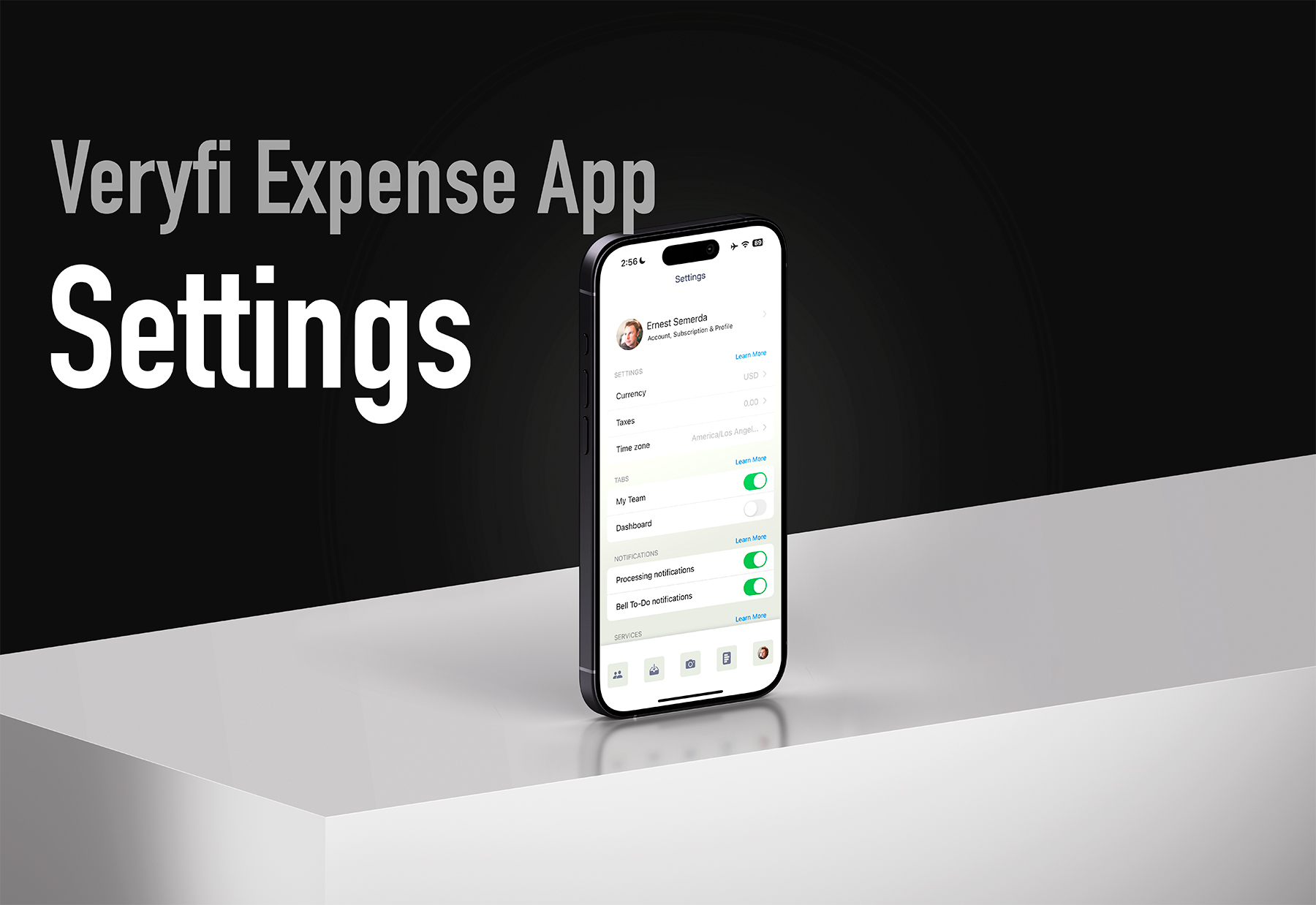
The Settings Screen
Yap this is the one. It’s long but packed with features to make your experience amazing.

Sections Explainer
- Accounts, Subscription & Profile: Access your account details and switch between multiple profiles. You can maintain separate profiles—like one for business and another for personal use—all under the same account.
- Settings: Configure account-level preferences including currency, tax settings, and time zone. Getting this set right helps with how the app displays date and time, time ago, and other visual aspects of the experience.
- Tabs: Personalize your main navigation (the one in the footer) by prioritizing the features most important to you. You have a choice between My Team or Dashboard to be shown in the main navigation. Select Dashboard if you are the only person using the app to get stats on your expenses and My Team if you have your team using the app as well to give you broader visibility across your team expenses.
- Notifications: Choose which updates and changes you’d like to be alerted about. Processing notification will update you when a document has finished processing – usually within 3 seconds but sometimes you might use the email receipt option and that can take up to a minute. To-Do Bell Notifications are a set of alerts that inform you whether total, vendor and other values are missing on the document. See our full list of these notification settings.
- Services: Explore product extensions and integrations that expand what you can do. Integrations allow you to connect say your Dropbox to backup receipts and a host of other services like Quickbooks for accounting. While Rules allows you to build custom workflows to route or update the extracted data based on your needs like tagging travel receipts with a custom tag to ease reporting and so forth. To learn more about services go here.
- Security: Access enterprise-grade security features to keep your data protected. You can’t be too careful in the modern era. We recommend you enable FaceID and SMS to make sure that no one except you can see your personal data.
- Features Lab: Experiment with new capabilities and customization options. When we release new features, they’ll appear here (disabled by default) for you to enable at your discretion. To learn about the list of features we have have available for you check out our features lab settings.
- Veryfi Lens Settings: Configure the behavior of the auto capture tolerance. This applies when capturing document receipts.
- Tools: Connect with our team and share feedback to help us improve the product for you.
Have questions or product feedback? We’d love to talk to you. Email us on [email protected]
Get the App
It’s fast. Install on your mobile phone in seconds and be up and running in under a minute.